
For professional home inspectors
Speak what you see.
Every detail revealed.
Written in the field, not after.
InspectSOP writes your report as you go, for inspectors across the US and Canada.
Work straight off your tablet, let the photos upload themselves, and finish the day at the property.
Try it yourself ↓
Type a rough field note. Watch it become a report-ready finding.
Your finding, drafted for you
Description
The kitchen sink is served by a copper water supply line.
Observation
Corrosion and active dripping were observed at the copper supply line under the kitchen sink. Continued leakage at this location can damage the cabinet base and adjacent materials.
Recommendation
Recommend repair or replacement of the corroded supply line by a licensed plumber.
Drafted from: “The copper pipe under the kitchen sink is corroded and dripping.”
See narratives like this in a full reportRunning a firm? See team and multi-inspector features
Built for how inspectors actually work
Every feature solves a real field problem. No bloat, no learning curve.
Dead zones don't stop you
Every tap, photo and dictated note saves on the tablet first. Walk back into signal and it all goes up on its own. Nothing lost, nothing to retry by hand.
Both hands free on your tablet
What you still have to cover sits on the left, the item you are working on sits beside it. Tap a category, write the finding. You never lose your place.
It writes while you inspect
Say what you see. Your words come back as a proper write-up, with what you observed and what you recommend, before you move to the next item.
Say it once. It comes back written up.
Tap the mic and describe what you see. You get the finding written out properly, with a severity and a trade recommendation already suggested. Accept it and move on.
- It speaks your trade. GFCI, TPR valve, efflorescence, knob-and-tube and thirty-odd other terms.
- Severity comes pre-suggested (critical, safety hazard, deficient, maintenance) and you have the final say.
- No signal? Keep dictating. It writes up as soon as you are back in range, and on newer iPad models it writes with no signal at all.
You said
“uh, double-tapped breakers in the main panel, looks like a safety thing”
Double-tapped circuit breaker(s) in main panel
Double-tapped circuit breakers observed in the main electrical panel. This is a safety hazard. Recommend evaluation by a licensed electrician.
Reports your clients actually read
Every inspection turns into a clean, tap-through report carrying your logo, your colors and your contact details. Send a link, hand over a PDF, or ask the buyer to pay before it opens.
- The things that matter most sit right at the top.
- Photos with your own arrows and notes drawn on them, on the report and in the PDF.
- See when the report was first opened and how many times, plus who it was emailed to and when.
The whole operation on one screen
Your team, where every job stands, the money coming in, and a live map of what is happening today.
- Four roles: owner, admin, inspector and office staff. Each sees what they need.
- Invoices with line items, payments recorded, refunds, and payouts to your own bank.
- Bring your existing templates over in minutes.
Team
Rob M.
OwnerLisa T.
InspectorDana C.
OfficeJobs
42 Maple St
Completed
7 Oak Ave
In progress
19 Pine Rd
Scheduled
Stripe payouts active
$4,320 this monthWhen the inspection is done, everything is done.
Extra services, state forms, lab results, client agreements and the emails that go with them all hang off the same job. You are not stitching it together afterwards.
- Add radon, mold, pool or sewer. One job, one PDF for the client.
- Texas REI 7-6 and the Florida forms fill themselves in from what you recorded. Nothing gets typed twice.
- Drop in the lab PDF and we read it. A result over the limit becomes a safety finding on its own.
- Booking page, signed agreements and reminder emails, on every plan.
42 Maple St
All steps complete
General Inspection
Report published
Radon · 5.2 pCi/L
Finding auto-created
TX REI 7-6 (TREC)
PDF generated
Pre-inspection agreement
2 of 2 signed
Combined PDF delivered to client
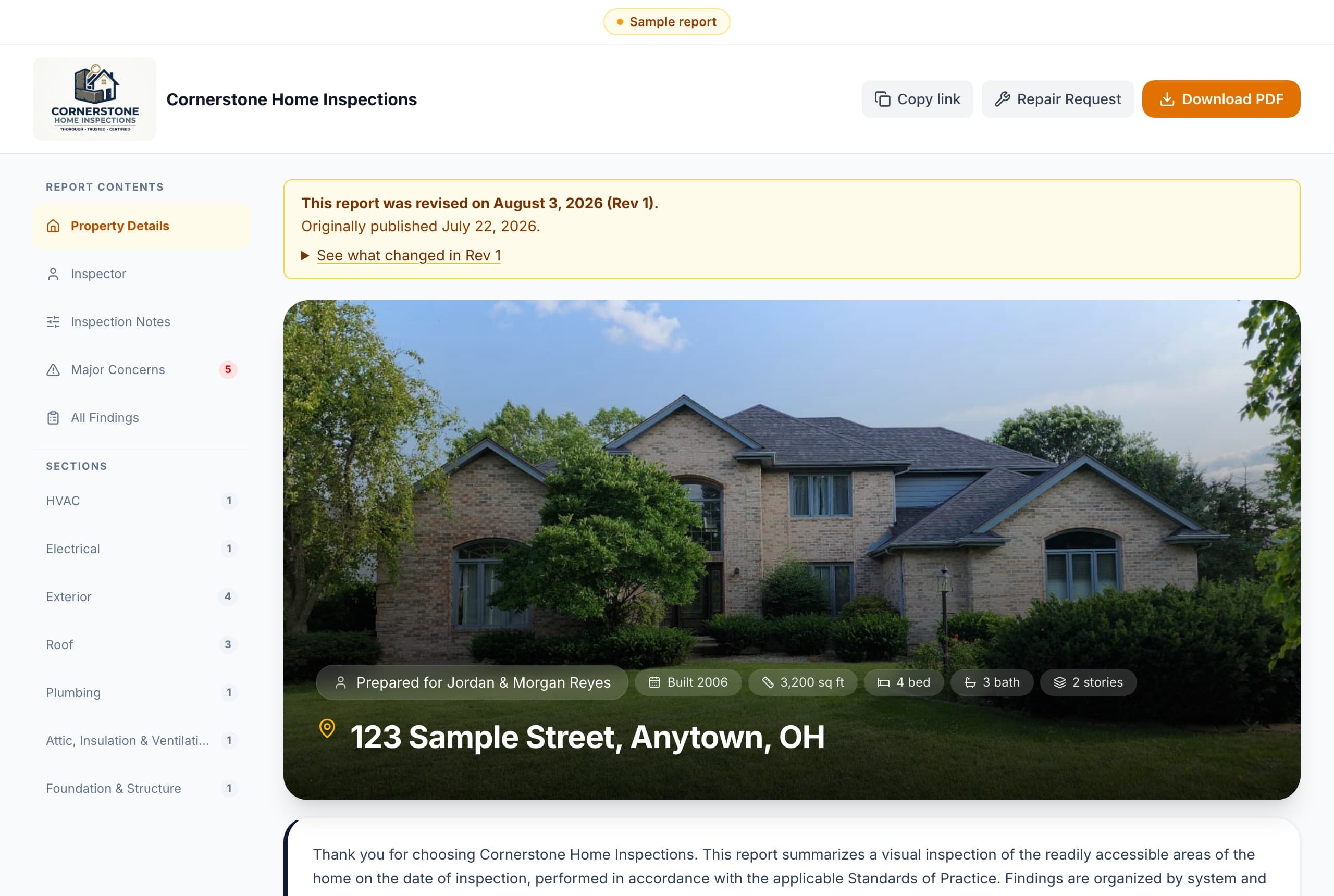
See a sample report
Every photo, finding, and severity rating in the same clean, professional layout your buyers receive. This is an actual InspectSOP report, start to finish.
The Texas sample includes the official TREC REI 7-6 form, filled from the same inspection. Open the Texas PDF
Common questions
Does it work without internet?
Yes. The native iPad and Android app saves everything you do straight onto the tablet, so it behaves exactly the same in a crawlspace as it does in your office. When you get signal back, it all goes up on its own. There is no sync button to remember.
Can I import my existing templates?
Yes. Upload the template export from your current platform. If the file is not recognized, export to a spreadsheet with a column for the section, the item and your comment. Your categories, items, write-ups and severity labels come across, each category is scored so you can see what landed cleanly and what wants a second look, and nothing goes live until you say so.
What happens after my 5 free reports?
Keep going the way that fits: Pay As You Go at $12 a report, with specialty reports from $3, or choose Starter or Pro. Your inspections and reports stay right where they are. Your published reports remain available in a long-term archive after account closure. If your account becomes inactive, we'll notify you before closing it.
How does it write the report for me?
Tap the mic and describe what you see. Your words come back as a proper write-up: the description, what you observed, and what you recommend, with a severity already suggested. It knows the category, the item, the age of the house and the defect before it writes anything, so the wording fits the job in front of you. You review and approve every word.
Is my inspection data private?
What each person on your team can open depends on the role you gave them. Nothing is public unless you share a link for it, such as a report you send a client. Owners can export your company data from Settings whenever you need it.
Ready to run your best inspection?
Join inspectors who write faster, deliver better reports, and get paid sooner.
No credit card. Cancel anytime.